- / Solutions
- / Projektisalkku
Most powerful knowledge management solutions
Project portfolio
Project portfolio for more comprehensive project management at different stages of projects
Managing the project portfolio and project entities can pose challenges in organizations, even though the planning and management of individual projects goes well. Maintaining information about project entities can be difficult, and it takes a lot of time from project management.
With our project management solutions, you can easily and quickly manage all the projects in your organization.
Clarify your organization’s project management:
- All key project information is conveniently and easily found in one place
- The project portfolio creates transparency and consistency with project practices
- The tool for managing individual projects and the project portfolio supports the development of the organization’s project culture
- Role-based views and comprehensive filters make it easier to understand which projects are ongoing and completed
- Defining and following common practices will help you to use the tool successfully in everyday life as part of other work
“When everything works through Teams, at least for me as a project manager, it’s enough that when you open Teams, you can do everything through it, such as report situations and record hourly work and also then see from the reports how things are going.”
”Project for the Web is the best way to illustrate how much time is spent on which task and which tasks are linked or dependent on each other.”
Project portfolio supports organization’s project culture
Project solutions can be customized according to the needs of the organization with the help of different types of tools:
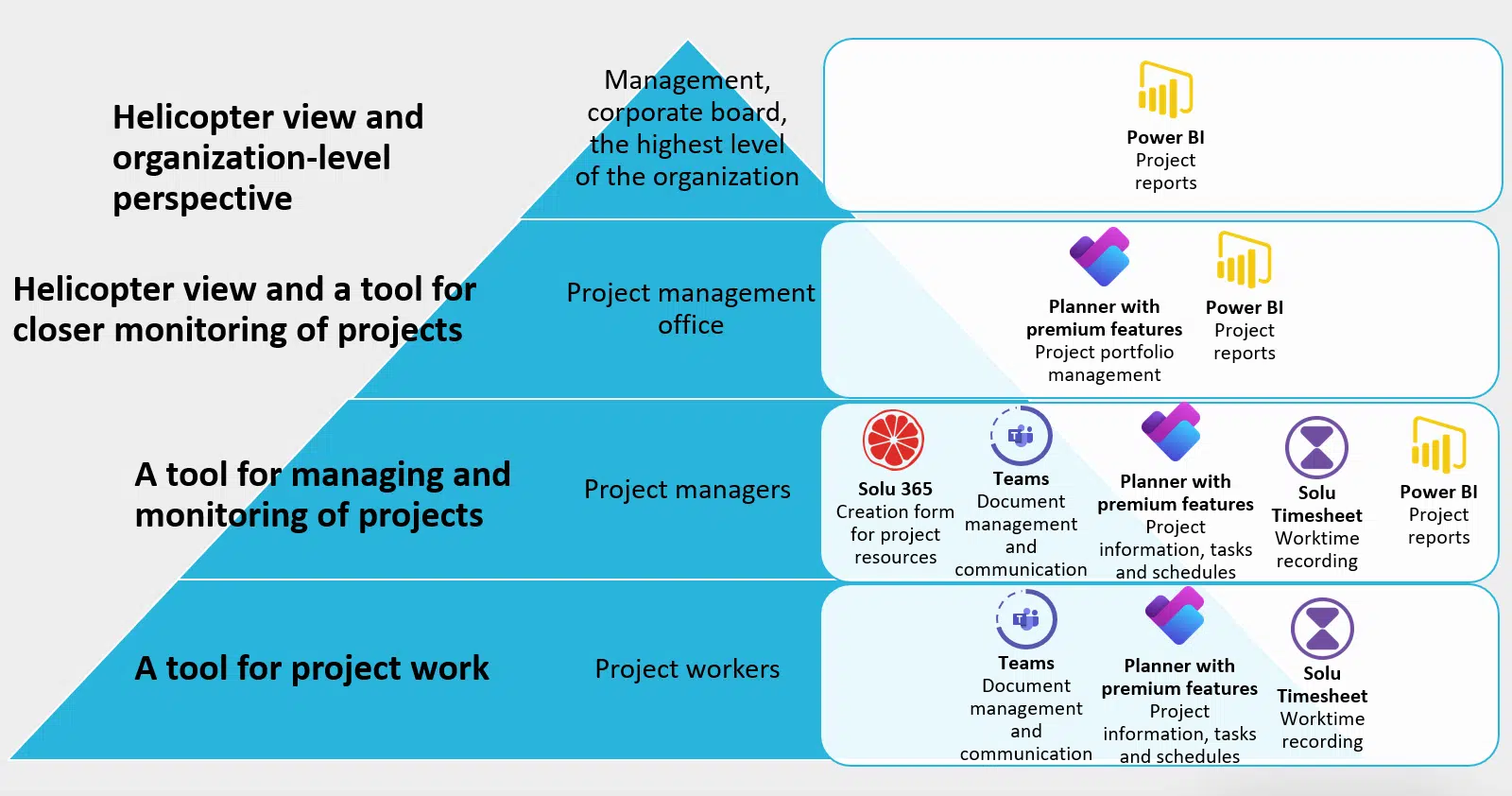
- Project management
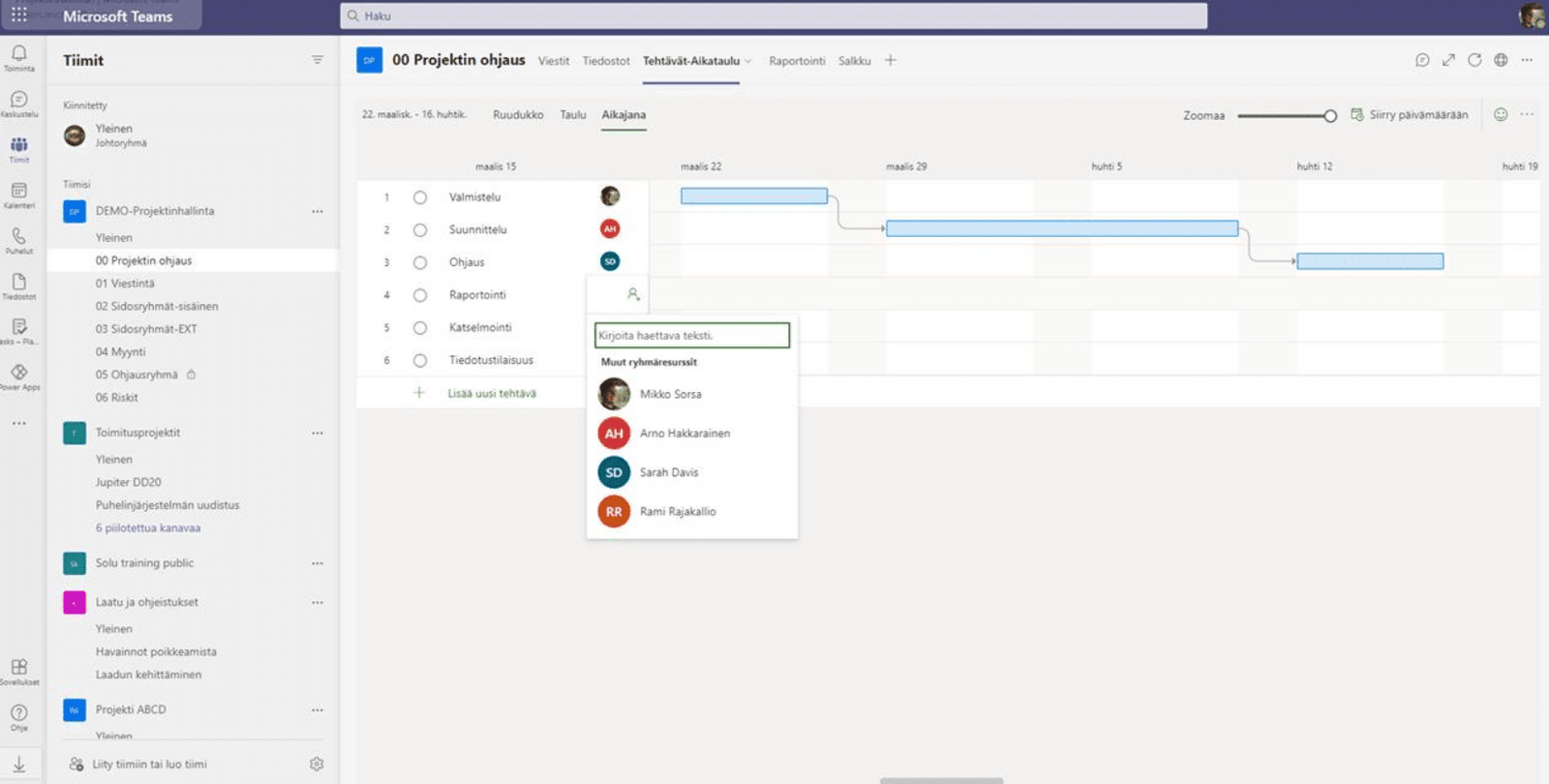
- SharePoint and Teams provide a solution for many needs that maintains basic project information and some status information. The project Teams group includes discussions, documents, and Planner tasks as needed.
- Planner with premium features brings more tools to plan project implementation and track progress more closely. The tool’s AI assistant Copilot helps define tasks and offers suggestions to streamline the project, ensuring quick adaptability skills to changing situations.
- Project portfolio and reporting
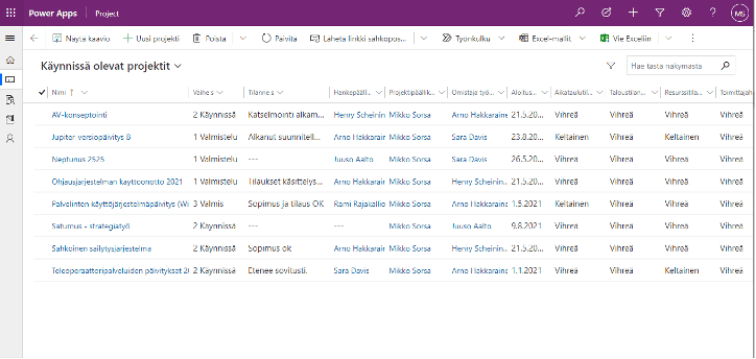
- Solu 365 Portfolio provides a list of projects and project status information
- Project Center offers a comprehensive view of the projects, which can be found on Project for the Web and later on Planner with premium features
- Microsoft Power BI complements project reporting by combining information from multiple systems as needed
- Hourly entries on timesheet
- Solu Timesheet is an hourly entry application developed by Solu Digital that complements the functionalities of Planner with premium features and provides review and approval for hourly entries as well.
In the project portfolio, each project is displayed according to its stage. In our project portfolio implementations, the requirements for project-specific monitoring are adapted to the organization’s own project process.
We adapt the project portfolio to your needs and implement the project portfolio as a collaboration that supports and facilitates the daily life of your organization.
“This new tool is much more user-friendly from the point of view of both the project manager and the time recorder, so you don’t have to fight with it and spend a lot of time on it, you can just focus on recording hours and the actual work.”
Download the project management guide
Download our guide to smooth project management and make your organization's project work easier. Leave your contact information and we will send the guide to your email.
”We know much better where our workload is distributed and where potential pain points are. We can also better predict resource usage in the longer term. However, in a small organization like ours, we need to be well aware if we encounter insufficient resources.”
“The files and information were in a separate environment, which was a bit more difficult to access since you always had to go there with a browser and log in, so we wanted an easier solution for that. It has been this Teams solution which we use to manage all our data and files.”
Deployment of a project portfolio solution for effortless project management
Solu Digital’s top experts have the best experience and expertise in processes and project activities.
Deploying the use of the project portfolio for all users is easy with Solu Digital, as our experts support you at every stage of the process:
- Defining a project portfolio solution according to the needs of the organization, the project culture and the management models in use (e.g. ABC model, V.S.O.P. or PRINCE2)
- Defining policies that support the needs of the tool into a project manual
- Training or workshops for smooth use of the project tool
Automate project management with the Solu 365® tool
Simplify, speed up and streamline the project creation process
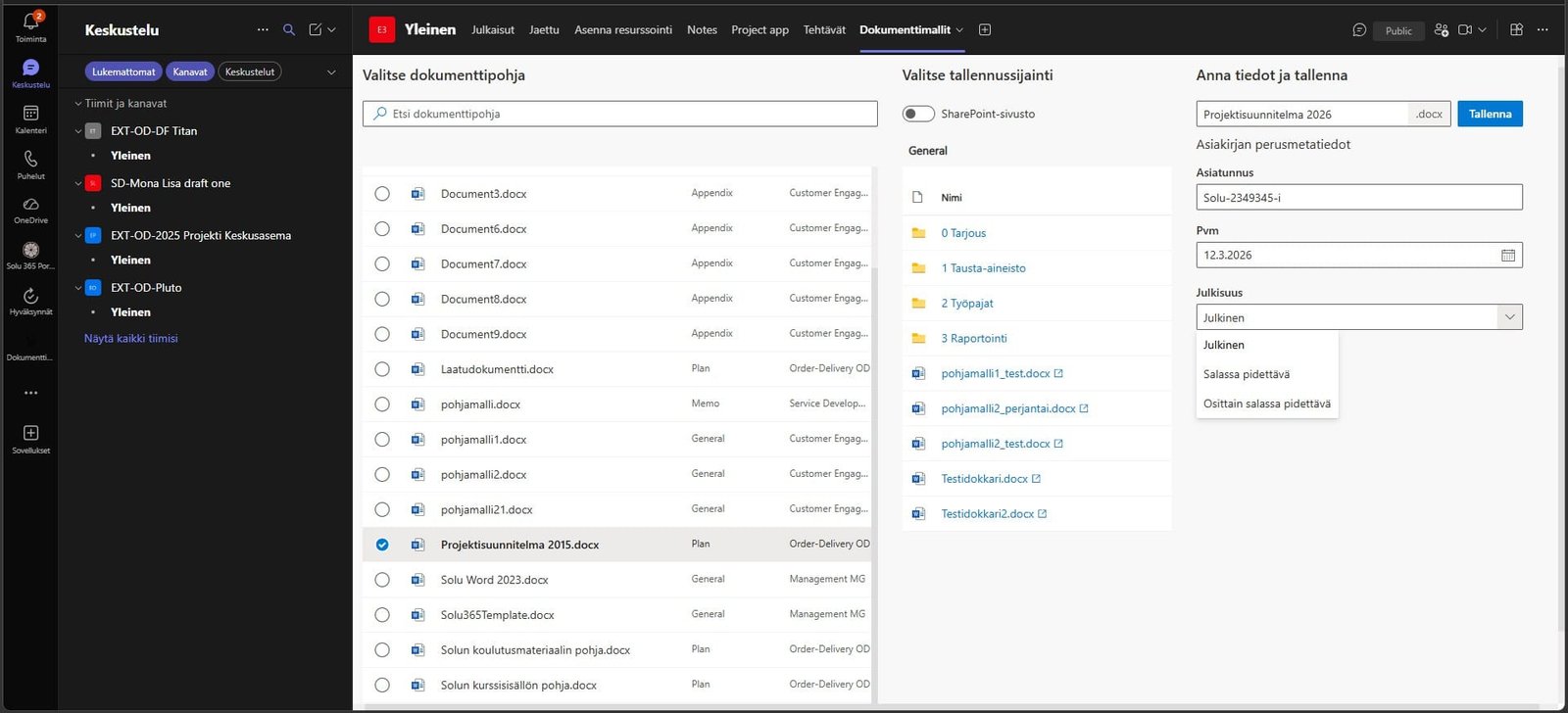
With Solu 365® automation tool, the information, tools and colleagues needed for project work can be found in a few clicks in Microsoft Teams project teams. The tool can significantly simplify, speed up and streamline the project creation process.
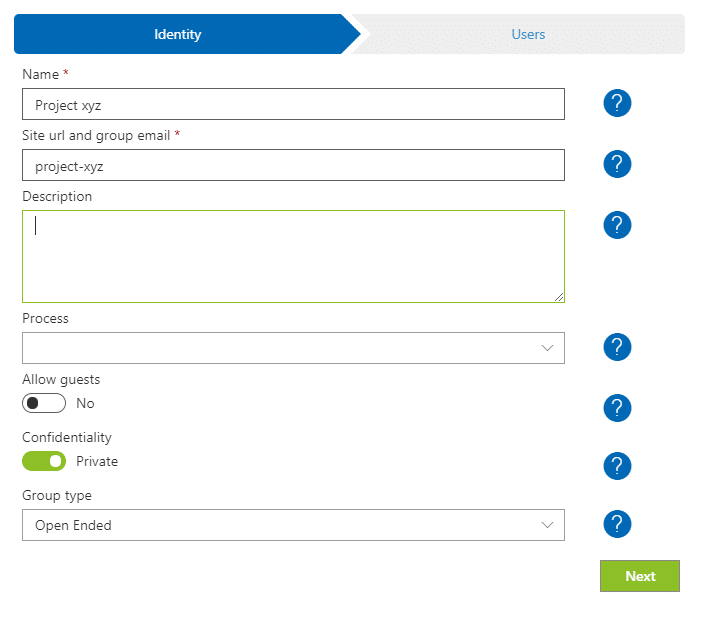
Solu 365 provides a creation form view for projects and related workgroups and portfolio for all Teams groups in the organization.
With project and workgroup automation and a group portfolio view:
- Project work becomes easier and faster when project communication, reporting, and information and document management are focused on one application
- A clear and simple process for creating projects makes it easier to find information and documents, and increases their manageability and transparency
- Project management is aligned with the organization’s consistent practices
- Security is enhanced when access to external users is restricted to certain Teams groups.
Easy-to-use creation form for projects and Teams groups
Solu 365 automation tool creates workgroups suitable for different use cases (such as internal projects and projects with external partners) and defines, for example:
- Planner’s project resources with premium features
- the structure of the Teams channels, for example a private channel for the steering group
- document folder structure
- document templates, such as reports for consistent work
- tools such as OneNote notepads
- an optional deadline for archiving the group, for example when the project ends
The automated project and workgroup management process ensures that the organization’s project activities and naming and recording policies are followed in accordance with consistent practices.
Real-time portfolio view of projects and Teams groups
Easy navigation to Teams and Microsoft 365 teams helps you manage the project groups you own in the real-time portfolio view of Solu 365.

With Solu 365 solution, you ensure consistent project management across your organization in a transparent and secure manner.
Read more: Automate project management with the Solu 365® tool
Our customers' experiences
Juha Nevalainen
Scania Suomi • Sales Director, Scania Services

4.0
Esa-Ville Vanhatupa
IT services of the city of Turku • Project manager

5.0
Juha Sarsama
Panostaja • CEO
Kristian Hartikainen
Business Finland • Senior Advisor

5.0
Mikko Tätilä
Forendo Pharma • Information Technology Manager
Seppo Perkiö
HSL - Helsinki Region Transport • IT Manager
Peter Krause
Transmeri • Development Director, ICT & Digital Services
Tarja Ihalainen
Teknologiateollisuus ry • Jäsenpalvelupäällikkö
Inessa Taneli
Sako Oy • Project manager
Lauri Eskola
SSAB • Application Manager
Inessa Taneli
Sako Oy • Project manager
Jere Penttinen
Boliden Kokkola • Investment manager
Lasse Palminen
Keskisuomalainen • IT director
Marko Salmi
Boliden Kokkola • Digitalization manager