Most powerful knowledge management solutions

Solu Digital provides knowledge management and analysis models for today’s complex businesses.

Document templates automatically

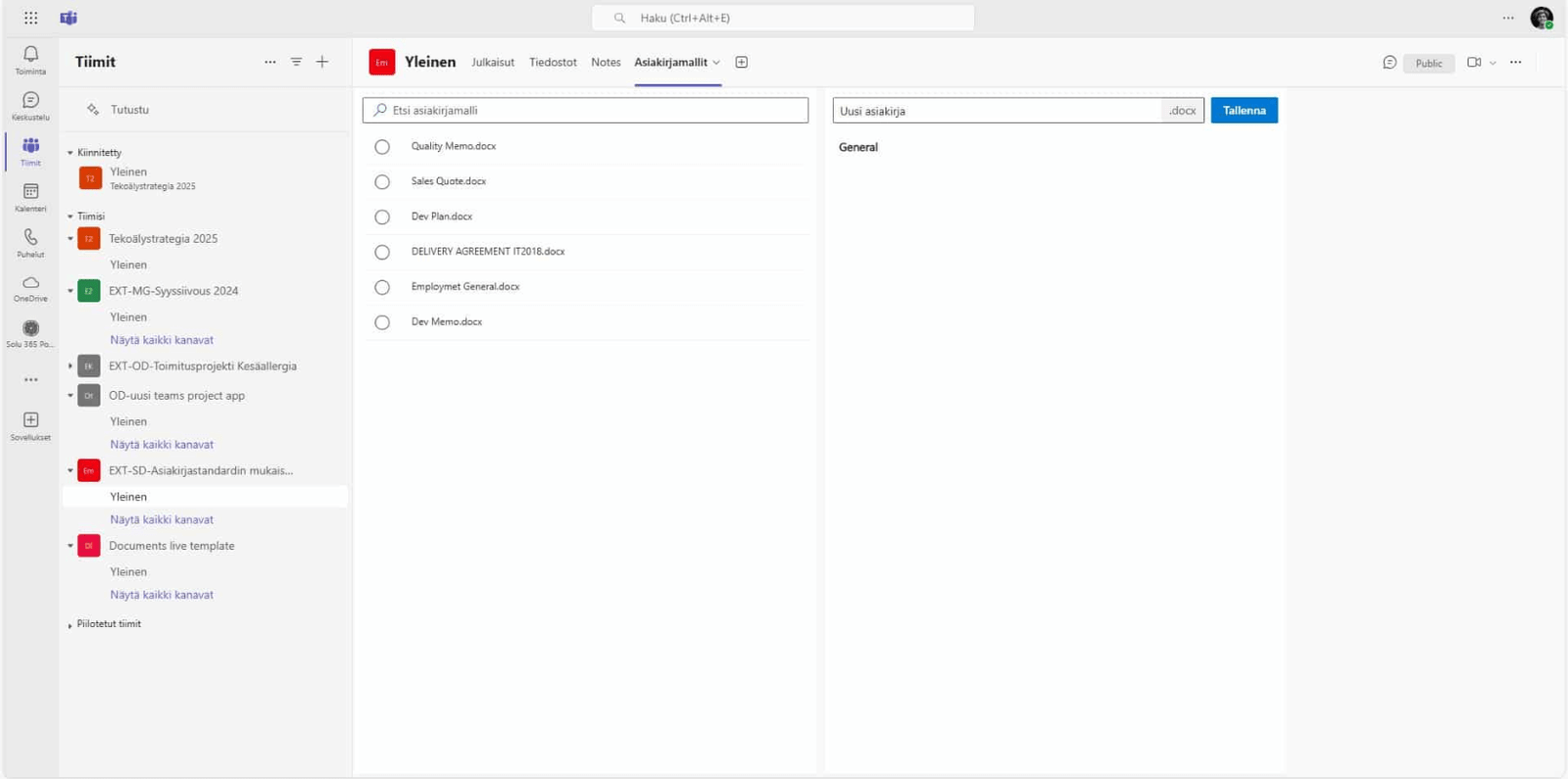
Centralized management of document templates using the document template management application unifies document management practices and facilitates the distribution of templates to Teams groups or SharePoint sites

Document management based on document templates and the use of metadata makes working with documents such as contracts, offers, and project documents more efficient. The centralized management and distribution of document templates to Teams groups or SharePoint workgroup sites can be a challenge on the Microsoft 365 platform.

These challenges can be solved and the distribution of document templates to teams and sites is successful with the help of the application for centralized management of document templates.

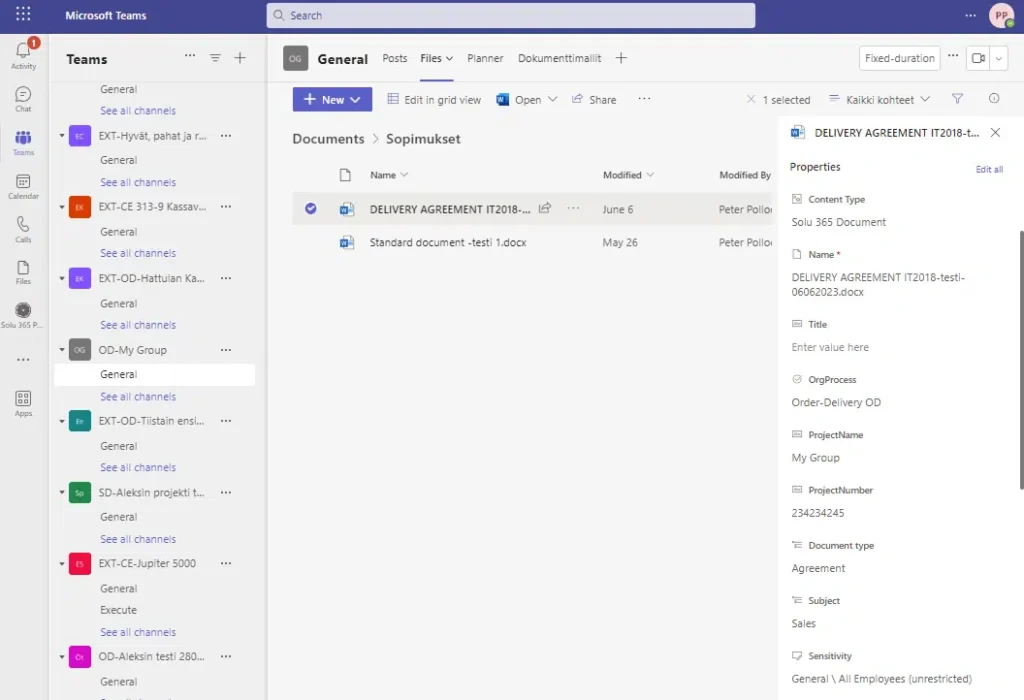
Document templates, which can be, for example, a ready-made document template as a Word, Excel, or PowerPoint file, can contain elements in line with the corporate look, such as uniform header and footer areas, tags, and other graphic elements, as well as typography. In addition, they can contain metadata stored in SharePoint columns.

Asiakirjamallit Wordiin, Exceliin ja PowerPointiin

Asiakirjamallit voivat olla Word-, Excel- ja PowerPoint-tiedostoina, ja ne voivat sisältää yritysilmeen mukaisia elementtejä, kuten yhtenäiset otsikko- ja jalkioalueet, tunnisteet ja muut graafiset elementit sekä typografian. Lisäksi ne voivat sisältää SharePointin sarakkeisiin tallentuvaa metatietoa.

Asiakirjamallin ohjausobjektien avulla metatietoa voidaan hyödyntää myös itse asiakirjan sisällössä.

Metadata can be, for example:

Asiakirjojen hallintasovellus tuo tehokkuutta dokumenttien laadintaan

Asiakirjamallien keskitetyn hallinnan sovelluksen avulla voit päivittää asiakirjamallien ominaisuuksia keskitetysti ja niihin tehdyt muutokset voit ottaa työyhteisösi käyttöön välittömästi.

Metatietojen käyttämisen pitäisi olla mahdollisimman laajaa, mutta automaattista, jottei metatietojen täydentäminen jää dokumentin laatijan työlääksi tehtäväksi ja niiden oikeellisuus kokonaan hänen vastuulleen. Asiakirjamallien keskitetyn hallinnan sovellus varmistaa, että uusi dokumentti sisältää välttämättömät, asiakirjamallille esiasetetut metatietoarvot joka kerta ja helpottaa dokumenttien laatimista.

Dokumenttien metatietojen hyödyntämisessä vain taivas on rajana. Automaattisesti määriteltyjen metatietojen avulla organisaatiosi dokumenttien sisältämä tieto jäsentyy, löytyy ja pysyy ajan tasalla.

Improve your organization’s productivity cost-effectively:

Implementation of document automation flexibly according to your needs

We implement the document automation solution that meets the needs of your organization in accordance with different stages:

The implementation of the tool can be done quickly and smoothly with the support of Solu Digital’s experts. We have long experience and know-how in document management.

Automate project document management with the Solu 365® tool

The Solu 365® automation tool offers a comprehensive solution for managing projects and project documents. The solution concentrates all the information, tools, and colleagues needed for project work to Microsoft Teams project work groups.

With the help of the Solu 365 tool, the project creation process becomes significantly simpler, faster, and more efficient, while improving data security.

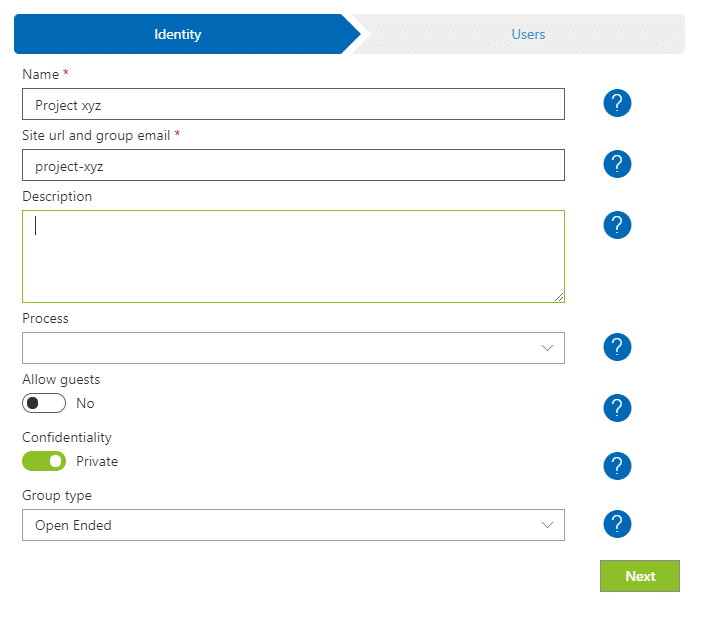
Solu 365 offers a form for creating projects and related work groups and a portfolio view for all Teams groups in the organization.

With the help of project and workgroup automation and the groups’ portfolio view:

  • Project work becomes easier and faster when project management, project communication, reporting, and information and document management are centralized into one application
  • A simple and clear process for creating projects improves the findability of information and documents and increases their manageability and transparency
  • The management of projects and project documents is harmonized according to the uniform practices of the organization
  • Data security is improved as the access of external users is limited to certain Teams groups and folders.

The Solu 365® automation tool helps you create workgroups suitable for different purposes, such as internal projects and projects with external partners.

Resources are defined for projects, such as:

Automate project document management with the Solu 365® tool

Every project created with the tool and its resources get their own metadata, which is automatically displayed in all documents. When document automation uses the project’s ready-made document templates, the metadata of the document templates is also stored in the new document.

The automatically controlled project, workgroup, and document management process ensures project operation in accordance with the organization’s uniform practices and compliance with naming and recording practices.


The teams in Microsoft Teams formed for projects are displayed up-to-date in the Solu 365 Portfolio. It makes it easier to navigate to Teams groups and other Microsoft 365 services and to manage the project teams you own.
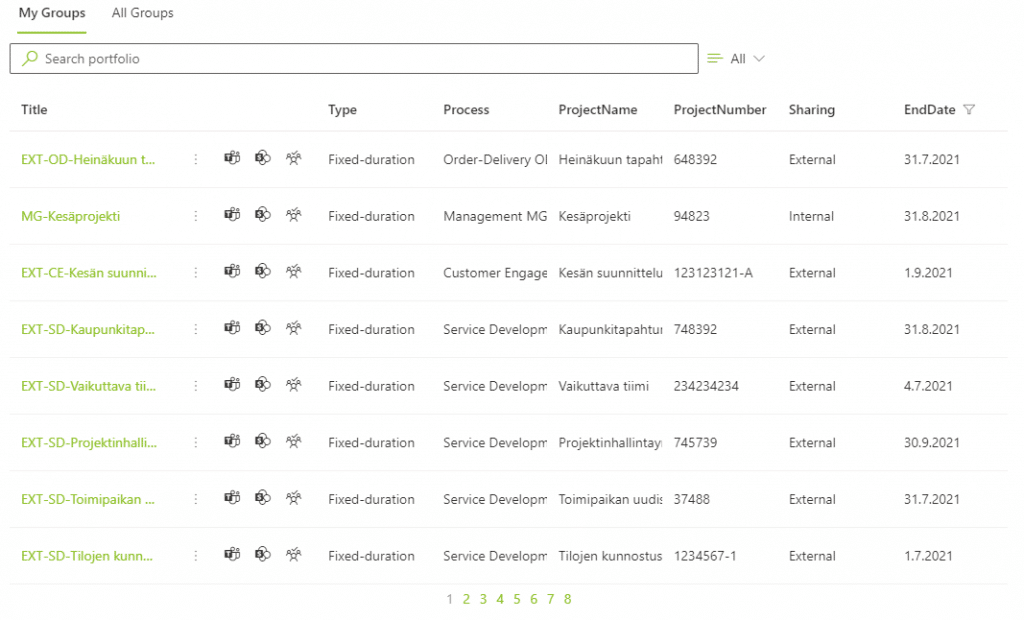
Snapshot of projects in Solu 365 Portfolio

With the Solu 365® solution, you guarantee consistent management of projects and project documents for your entire organization in a transparent and secure way.

Read more: Automate project management with the Solu 365® tool

Our customers' experiences

Check out our customer stories

Read more articles by our experts

Agile software development

Software requirements specification is often a long and costly process, when in fact there are only a handful of key features in a successful application.

Manage your SharePoint-environment like a pro

SharePoint environment should be grown with caution. Proactive behaviour, good dialog with partners, transparency and clear division of responsibilities ensure the quality of the end result.

Office 365 Groups Revisited

Microsoft will re-invent productivity and business process to help businesses coping with explosion of digital systems and data.

Leading developer of digital teamwork