- / Services
- / Teams training
Trainings
We implement training tailored to our customers, and infomercials based on customer needs. Alongside training, we also create instructional videos and documents to fit the customer’s environment. We tailor our training entirely based on the customer’s situation and requirements, and arrange training from traditional training days to online training and demonstrations.
Teams training
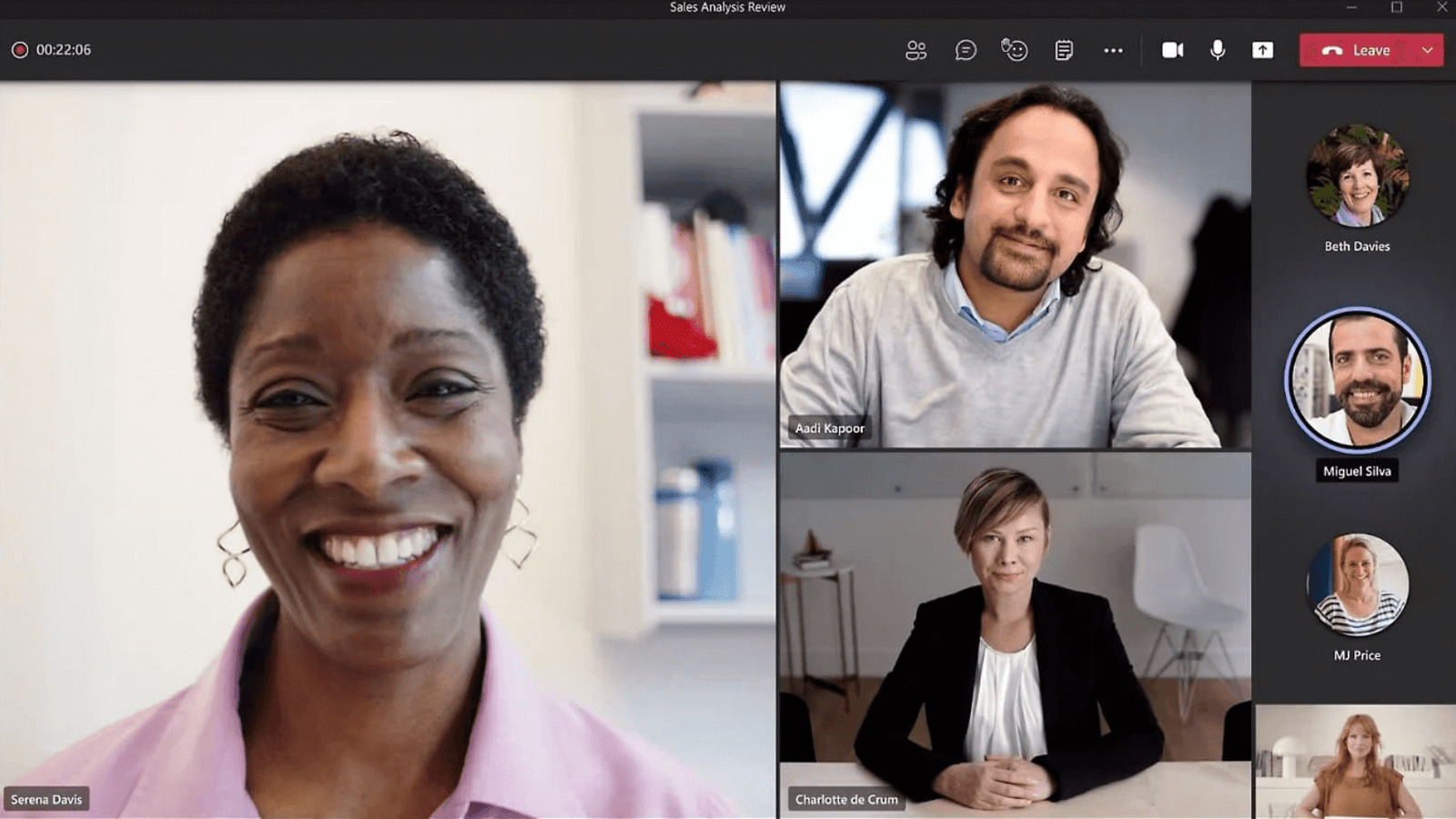
With our Teams training, employees in your organization learn to utilize Teams’ easy-to-use tools for modern teamwork, such as multilateral and multi-channel discussion, and web conferencing.
Teams on osa modernia ja tehokasta ryhmätyöskentelyä
Microsoft Teams plays a key role in providing a digital work environment that supports modern teamwork. Versatile tools allow for simultaneous document processing, multi-channel discussion, and joint web conferencing, helping the team work as a single unit. Up-to-date prospects for the projects and tasks worked on by the team enhance work and decision-making both together as a team and as individual employees.
With a clear focus on one common team workspace, each team can easily take advantage of their own, familiar, and process-adapted ways of working, and thus intensify their collaboration. Through common working methods that are familiar to everyone, we can develop common values. By committing to joint agreements, the team remains focused, efficient, and satisfied, fostering a successful corporate culture within the organization.
Tailor-made Teams training for the needs of your organization
Tailor-made Teams training, adapted to the needs and challenges of your organization, ensures that users of different skill levels support and enhance the way your organization’s culture works. In the training, we get to know Teams as part of Office 365 services, and we go through the features it offers. In addition, we practice using Teams.
Our Microsoft-certified trainers conduct training as face-to-face and distance learning, considering current COVID-19 related recommendations and regulations.
In our hands-on training, every member of your organization learns to use Office 365 tools effectively in their own work, and users can focus on the essentials of their work.
“Some kind of cultural change is central when this kind of Office 365-type environment is introduced, and in this case we have moved forward with a really good attitude.”
The structure and content of the training sessions will be planned and implemented in the way you need, such as:
- Longer, 1-2 hours long training sessions in which participants practice using the features and functionalities themselves
- Shorter-duration, about 30 minutes long information-intensive power training sessions as a review of features and functionalities
- As workshop-type trainings, where the organization defines best practices for the use of Teams
- By designing and implementing training materials such as videos, written instructions, tutorials, and Teams applications for long-term support for users’ work
The content of the Teams training by subject areas
The content of the customized Teams trainings differs from case to case. Our trainings may include, for example, the following topics and they can be combined according to your needs:
- Networks and interaction, a revolution in modern workplace communication
- Knowledge management and challenges of a learning organization in knowledge work
- Teams as part of Office 365 services
-
Teams features
- Teams and channels- Tabs and applications- Conversations- Meetings- Files- Settings- Using Teams -
Setting up a Team
- What Teams groups should there be?- What are Teams groups used for?- When to use the group and when to create a channel?- What issues should be considered when setting up groups and channels?
- Assign Teams to an Office 365 group
- Wiki
- Planner
- Stream
- Word, PowerPoint and Excel
- Power BI
- Permissions
- Sharing Teams with users outside your organization
- Teams roadmap and upcoming features
Suunnitellaan yhdessä yrityksenne tarpeisiin soveltuva Teams-koulutus.
Take control over your Teams groups with comprehensive training
Teams groups and channels create jointly agreed structures for organizational operations and information management. Defining uses for Teams groups and channels helps employees work together.
What Teams groups should an organization have?
One of the most common questions asked in training and in planning to deploy Teams is: what Teams groups should there be?
Defining Teams use cases helps all employees in an organization to follow consistent policies set by the organization.
For the consistent, organization-wide use of Teams and other tools, we can work together to design policies and practices that support your goals and your personnel’s goals. Documenting common practices available to all employees promotes the adoption of the use of Teams as part of daily work.
When is the channel needed and when is the group – what to consider?
Typically, the mutual hierarchy and purpose of Teams groups and channels causes confusion as well as complex interpretations between different departments and user groups. Uniform practices guide users to set up groups and channels for the right, pre-defined use cases for the organization.
For example, the group can serve as a basis and information channel for a unit or department that adapts to the organizational structure, such as product development or marketing. In this case, the channels can help organize the work into their own themes to support the day-to-day operations of the unit.
In the example of a Teams group for marketing department, the annual marketing planning could be one channel, the processing and maintenance of brand guidelines and policies its own channel, the measurement of marketing activities and the reporting of results also its own channel, and so on.
Teams structures can be enriched and refined with other tools defined as part of Teams group and channel structures according to the intended use. Teams and channels for project work may have different needs for tools and other resources in a Teams environment than, for example, in the day-to-day making of sales.

Take full advantage of Teams’ functions
Teams allows you to combine many different information systems, applications, and other resources, allowing you to centralize multiple work tasks into a single application, streamlining work and saving time.
For example, default document templates and predefined file folder structures as part of channels and groups have proven to be effective ways to ensure that all users of the tools work the same way.
To get the most out of Teams, the organization has defined the purpose and methods for the application – rules of the game that everyone knows how to follow. The same applies to other cloud services provided by Microsoft that are seamlessly connected to each other and to Teams.
Ensure the development of your own staff’s skills with high-quality training packages and content tailored to the needs of your organization.
Asiakkaidemme kokemuksia
Juha Nevalainen
Scania Suomi Oy • Myyntijohtaja Sopimusliiketoiminta

4.0
Esa-Ville Vanhatupa
Turun kaupungin IT-palvelut • Projektipäällikkö

5.0
Parasta yhteistyössä Solu Digitalin kanssa on, että heidän kanssaan on helppo tehdä yhteistyötä ja kaikki sujuu mutkattomasti, nopeasti ja ilman ongelmia.
Juha Sarsama
Panostaja • Toimitusjohtaja
Solu Digitalin referenssit ja ymmärrys tarpeistamme tekivät vaikutuksen meihin ja näin ollen myös laajemmat Office 365 -ratkaisut astuivat kuvioon. Päätös yhteistyöstä Solu Digitalin kanssa syntyi nopeasti.
Kristian Hartikainen
Business Finland • Senior Advisor

5.0
Parasta on varmaan ollut tässä yhteistyössä se joustavuus. Solu Digital on yllättävän hyvinkin joustanut sitä, että olemme kiireisiä ja meillä on paljon kilpailutuksia koko ajan, mutta samanaikaisesti olemme pystyneet kehittämään hankintasalkkua.
Mikko Tätilä
Forendo Pharma • Information Technology Manager
Kokemus yhteistyöstä positiivista, asiakaslähtöistä ja mutkatonta.
Seppo Perkiö
HSL Helsingin Seudun Liikenne • Tietohallintopäällikkö
Solu Digital valikoitui toimittajaksi sillä yrityksellä on vahvat näytöt ketterien salkunhallintajärjestelmien toteutuksista.
Peter Krause
Transmeri • ICT- ja digitaalisten palveluiden kehityspäällikkö
Solu Digitalin asiantuntijoiden asiakasymmärrys on huippuluokkaa! Ikinä ei tarvitse vääntää rautalangasta sitä, mitä haemme, vaan asiantuntijamme ymmärtävät heti meidän maailmastamme käsin, mitä tarvitsemme ja mikä tukee liiketoimintaamme.
Tarja Ihalainen
Teknologiateollisuus ry • Jäsenpalvelupäällikkö
Läpinäkyvyys on auttanut meitä seuraamaan edistymistä ja varmistamaan, että kaikki työntekijät ovat tietoisia yhteisistä päämääristä.
Inessa Taneli
Sako Oy • Projektipäällikkö
Lauri Eskola
SSAB • Application Manager
Inessa Taneli
Sako Oy • Projektipäällikkö
Jere Penttinen
Boliden Kokkola • Investointipäällikkö
Lasse Palminen
Keskisuomalainen • Tietohallintojohtaja
Ann Heinonen
NRC Group • IT Service Manager
Jani Luoma
Pääkaupunkiseudun Junakalusto Oy • Kalustojohtaja
Marko Salmi
Boliden Kokkola • Digitalisaatiopäällikkö
Esa-Ville Vanhatupa
Turun kaupungin IT-palvelut • Projektipäällikkö