
Microsoft Planner with premium features and Copilot enhance project management, helping to achieve goals faster and more efficiently.
Microsoft Planner’s premium features combine the best of Microsoft’s award-winning project management tool with artificial intelligence, providing an intuitive and seamless user experience. You can manage all your tasks centrally, whether it’s small to-do lists or large projects.
Planner’s premium features allow you to work according to your team’s needs, offering versatile templates, views, and approaches – from boards and lists to timelines and sprints.
In the spring of 2024, we will learn the practical possibilities offered by Planner’s new premium features and Copilot. Microsoft continues to develop its solutions by adding new features and functions based on user feedback.
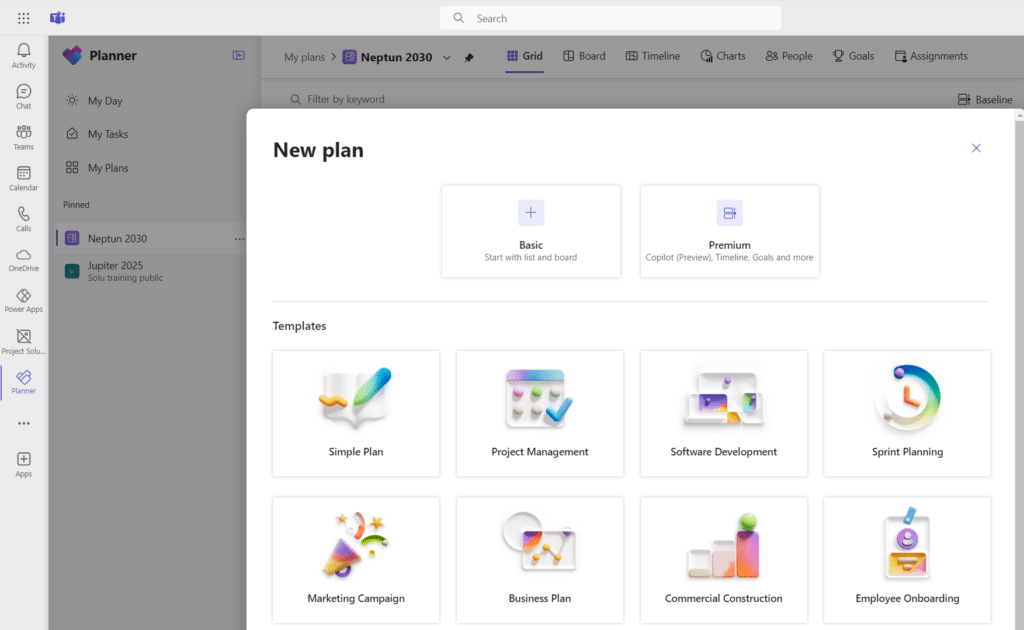
Teams’ new Planner application offers broader possibilities
When you create a new plan in the redesigned Planner app in Teams, you can choose a traditional Planner plan or a more comprehensive Planner with premium features plan (previously called Project for the Web).
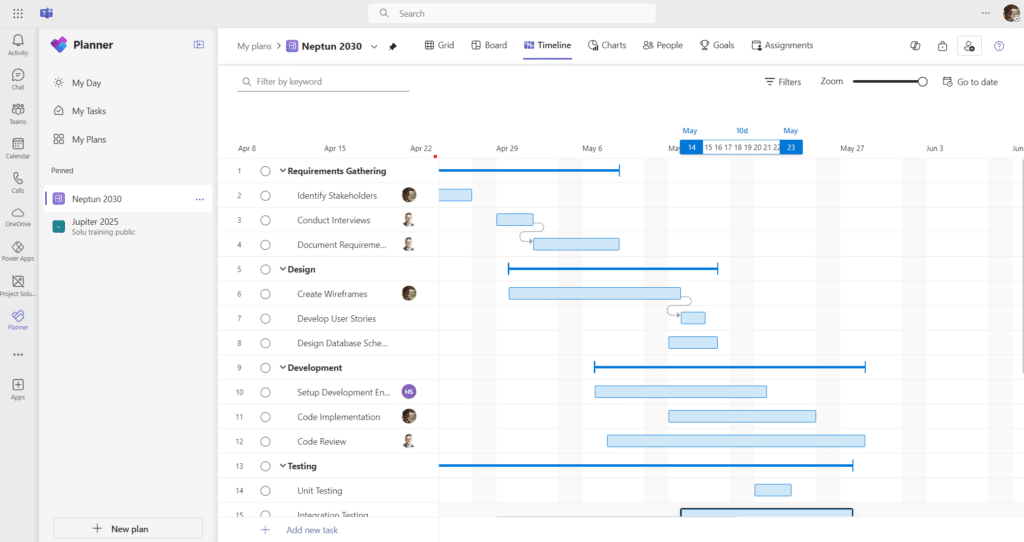
With Planner’s premium features, you can divide tasks into main and subtasks, perform versatile scheduling, task linking, and resource management, and refine the schedule using the Gantt chart.
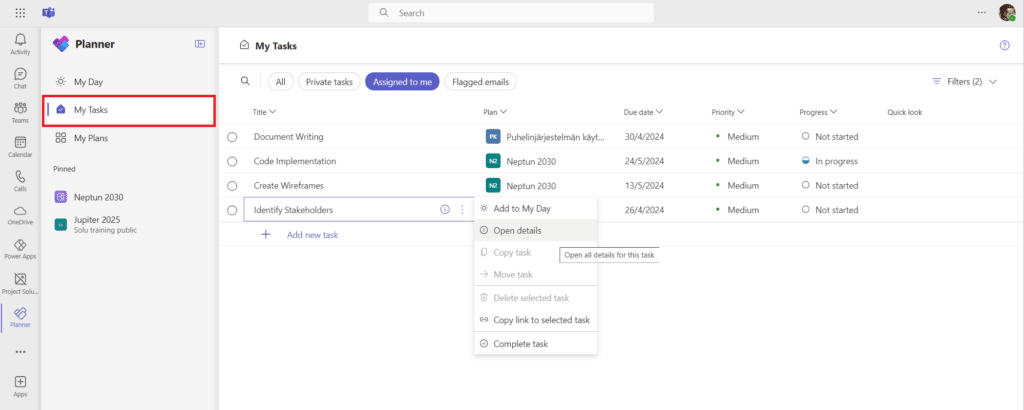
My Tasks view
Microsoft Planner’s ‘My Tasks’ view provides a comprehensive overview of all user tasks, making managing daily and weekly work easier. This view improves work efficiency by providing search functions that make finding and managing tasks faster. In addition, it collects tasks from marked e-mails, for example.
How Planner with premium features and Copilot can revolutionize the way you work
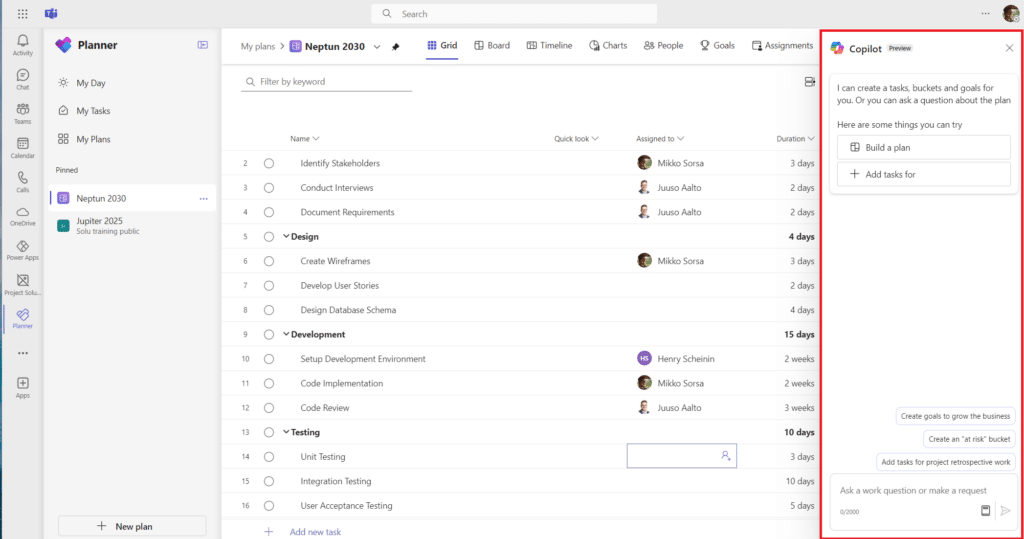
Microsoft Copilot is an AI assistant designed to support creating new plans, setting goals, monitoring project status, and responding to changes as the project progresses. Copilot’s natural language commands make project management easier and more efficient, allowing your team to focus on what matters.
Imagine a situation where a project manager needs to create a new project schedule quickly with multiple stakeholders. Copilot helps define tasks and offers suggestions to streamline the project, ensuring quick adaptation to changing situations.
Smoother and more efficient project management
Microsoft Planner premium features, combined with Copilot, create a user-friendly and intelligent combination that makes project management smooth and efficient. Whether in a small business or a large organization, these tools will help you achieve your goals faster and more easily.
We look forward to demonstrating the new project management solutions provided by Microsoft Planner’s premium features and Copilot in practice.
Mikko Sorsa
Senior Consultant, Partner
Read more:
- Microsoft Project Server Support Ending – What’s Next?
- Ensure data security before rolling out Copilot
- SharePoint Premium: intelligent information management for vanguard organizations
- Know your competitive advantage
- Using artificial intelligence in business
- Peace of mind with Project for the web maintenance services
- All Solu Digital expert articles
[sc name=”projektinhallintaoppaan_lataus-en” ][/sc]