- / Solutions
- / Document management
Most powerful knowledge management solutions
Solu Digital provides knowledge management and analysis models for today’s complex businesses.
Document management
Microsoft SharePoint for easy and effortless document management
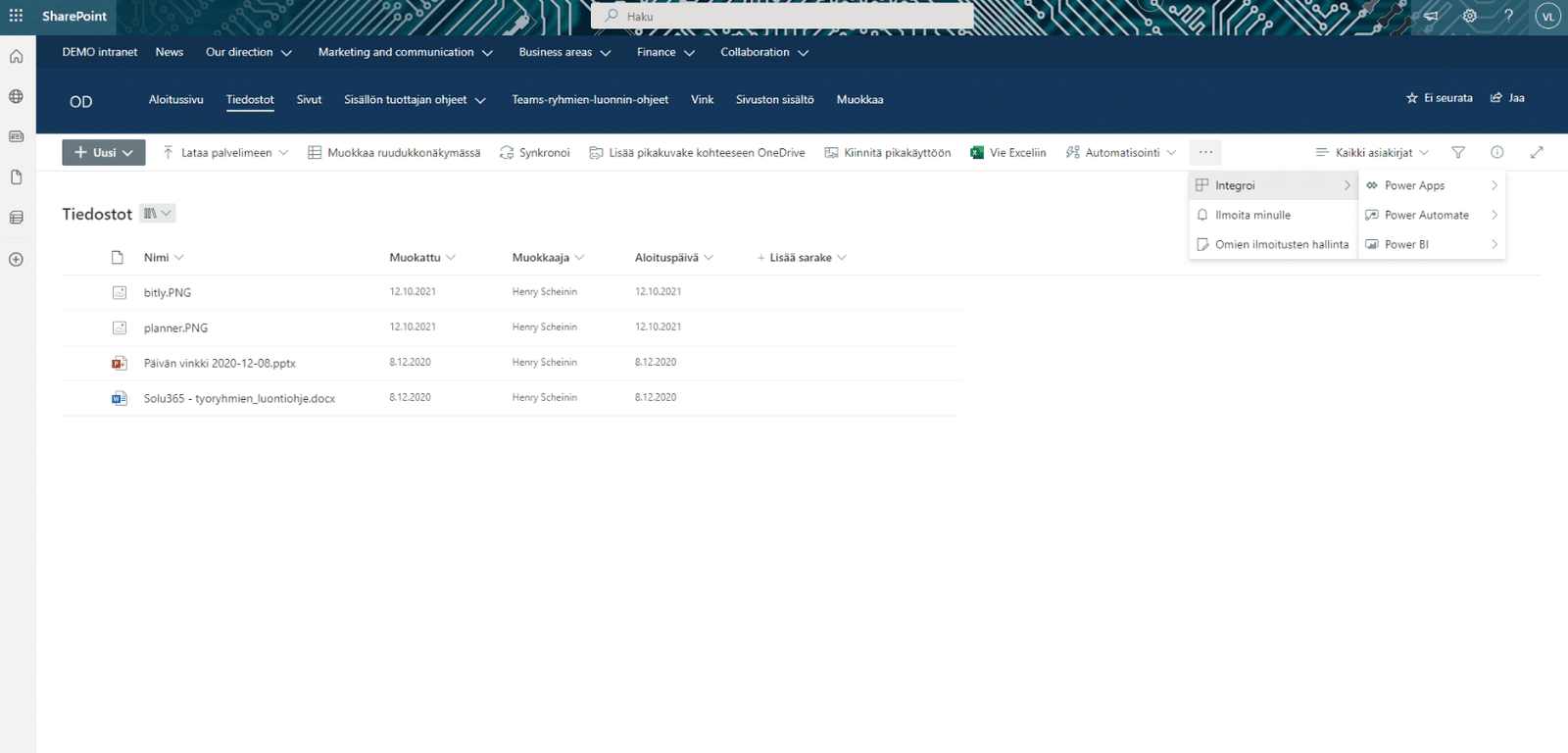
Microsoft SharePoint document management system helps you find information easily and securely. We help your organization streamline the data mass and make it easier to collaborate from document processing to storage and sharing. With SharePoint’s versatile tools, your documents are up-to-date, secure, and easy to find.
Improve the discoverability and availability of information, regardless of time, location, or device:
- Centralize information and documents in one place securely
- Avoid scattered information and documents to employees’ disks and emails that are inaccessible to the rest of the organization
- Centralize the processing of files in SharePoint along with other work to the center of teamwork, Microsoft Teams
- Ensure that the information is up-to-date and accurate
- Version history provides essential information about creating, viewing, and editing a document
- Version control helps restore previously saved file versions
- Document backup in the cloud service
- Improve document availability, accessibility and manageability
- SharePoint retrieves results from all Microsoft 365 programs quickly and easily, displaying accurate search results – the more precisely the metadata is defined, the better search results SharePoint can find
- Access to the organization’s shared documents and personal files requires nothing more than an Internet browser
- Make working with information more efficient
- Workflows such as approval and comment chains and electronic signatures, alerts and reminders for deadlines
- Integrate Power Automate workflows into document management
- Support employee collaboration
- Simultaneous editing of documents with other users along with commenting and discussion capabilities related to document processing help teams work together
- Strengthen your organization’s IT policies and information security
- Proper document obsolescence policies, automation of deletion or retention, and encryption policies are performed based on the document classification model
- Folder-specific access restriction for individuals or Office 365 groups
- Improve the transparency, community spirit and trust of the organizational culture
- It is easier for employees to stay up to date on activities of close partners participating in Yammer and Teams discussions, for instance
- Microsoft Viva platform brings together organizational resources and insights about work and well-being into Microsoft collaboration and productivity tools
Deploy SharePoint easily and quickly to suit your needs
We customize the deployment of SharePoint according to various steps:
- Defining document management and unified practices in the organization
- Defining a metadata model to support the work of an organization’s IT department
- The tools and methods developed by Solu Digital provide a solution for comprehensive document lifecycle management and a balanced and user-friendly implementation of the metadata model.
- Technical implementation
- Migration from multiple sources to SharePoint
- We transfer documents to SharePoint or Teams using the best tools and methods.
- Deployment
- Training or workshops for effective use of SharePoint
Solu Digital’s experts guide and train all personnel in the correct management of documents, making practical deployment throughout the organization easy and agile.
“Planning documents, drawings, memos, and minutes were printed and sent via email, resulting in occasional difficulties in finding out which was the final version. We were already using SharePoint as our intranet platform, and so it was natural to continue developing the same platform.”
HSY
”The defining stage of the deployment increased our understanding of project management. Internal processes have been normalized and standardized. In the next stage, we intend to broaden the use of the Investment Window in the direction of our partner companies.”
HSY
Our customers' experiences
Juha Nevalainen
Scania Suomi • Sales Director, Scania Services

4.0
Esa-Ville Vanhatupa
IT services of the city of Turku • Project manager

5.0
Juha Sarsama
Panostaja • CEO
Kristian Hartikainen
Business Finland • Senior Advisor

5.0
Mikko Tätilä
Forendo Pharma • Information Technology Manager
Seppo Perkiö
HSL - Helsinki Region Transport • IT Manager
Peter Krause
Transmeri • Development Director, ICT & Digital Services
Tarja Ihalainen
Teknologiateollisuus ry • Jäsenpalvelupäällikkö
Inessa Taneli
Sako Oy • Project manager
Lauri Eskola
SSAB • Application Manager
Inessa Taneli
Sako Oy • Project manager
Jere Penttinen
Boliden Kokkola • Investment manager
Lasse Palminen
Keskisuomalainen • IT director
Marko Salmi
Boliden Kokkola • Digitalization manager