
Most powerful knowledge management solutions

Solu Digital provides knowledge management and analysis models for today’s complex businesses.

Project portfolio

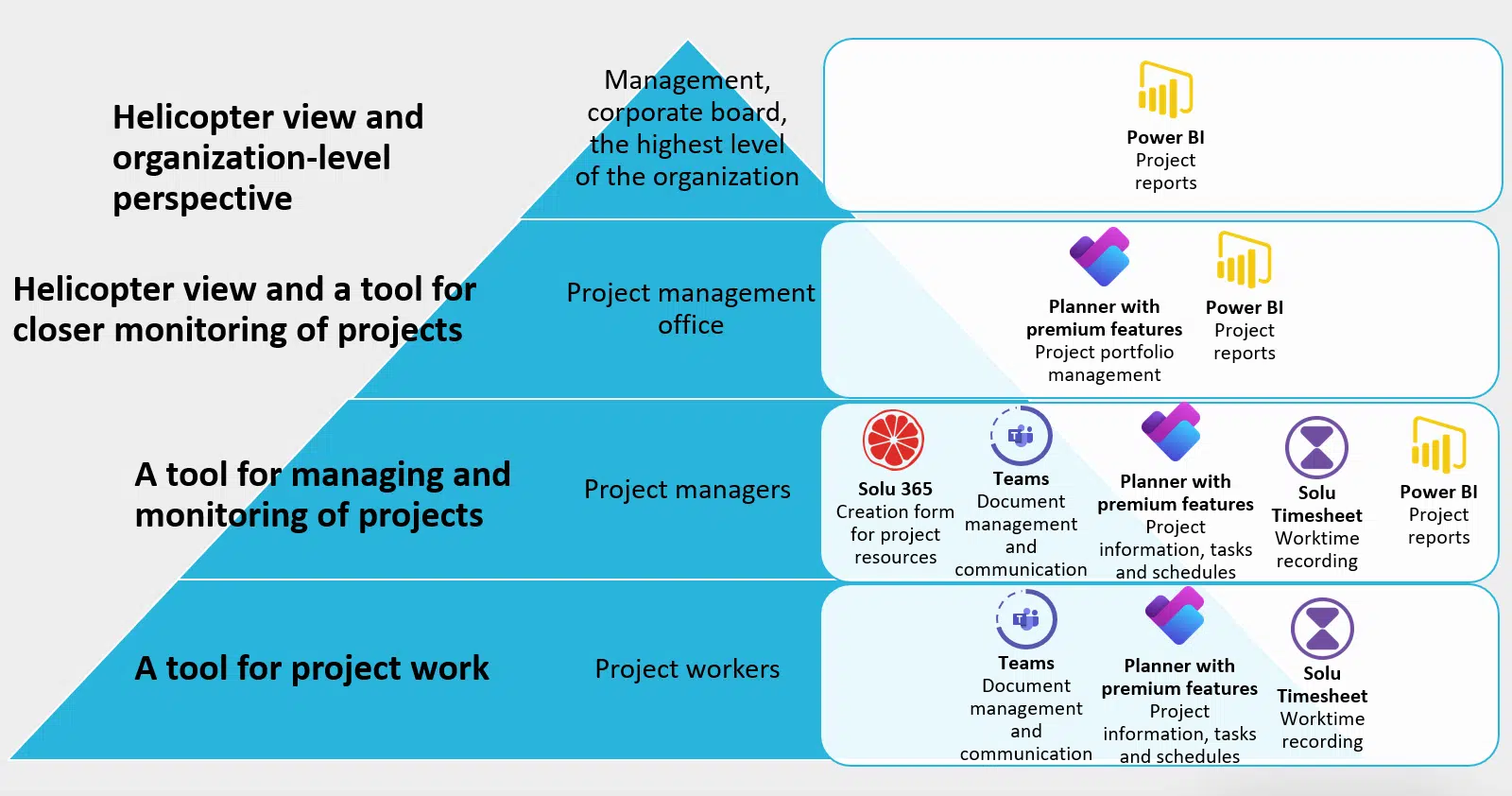
Project portfolio for more comprehensive project management at different stages of projects

Managing the project portfolio and project entities can pose challenges in organizations, even though the planning and management of individual projects goes well. Maintaining information about project entities can be difficult, and it takes a lot of time from project management.


With our project management solutions, you can easily and quickly manage all the projects in your organization.

Clarify your organization’s project management:

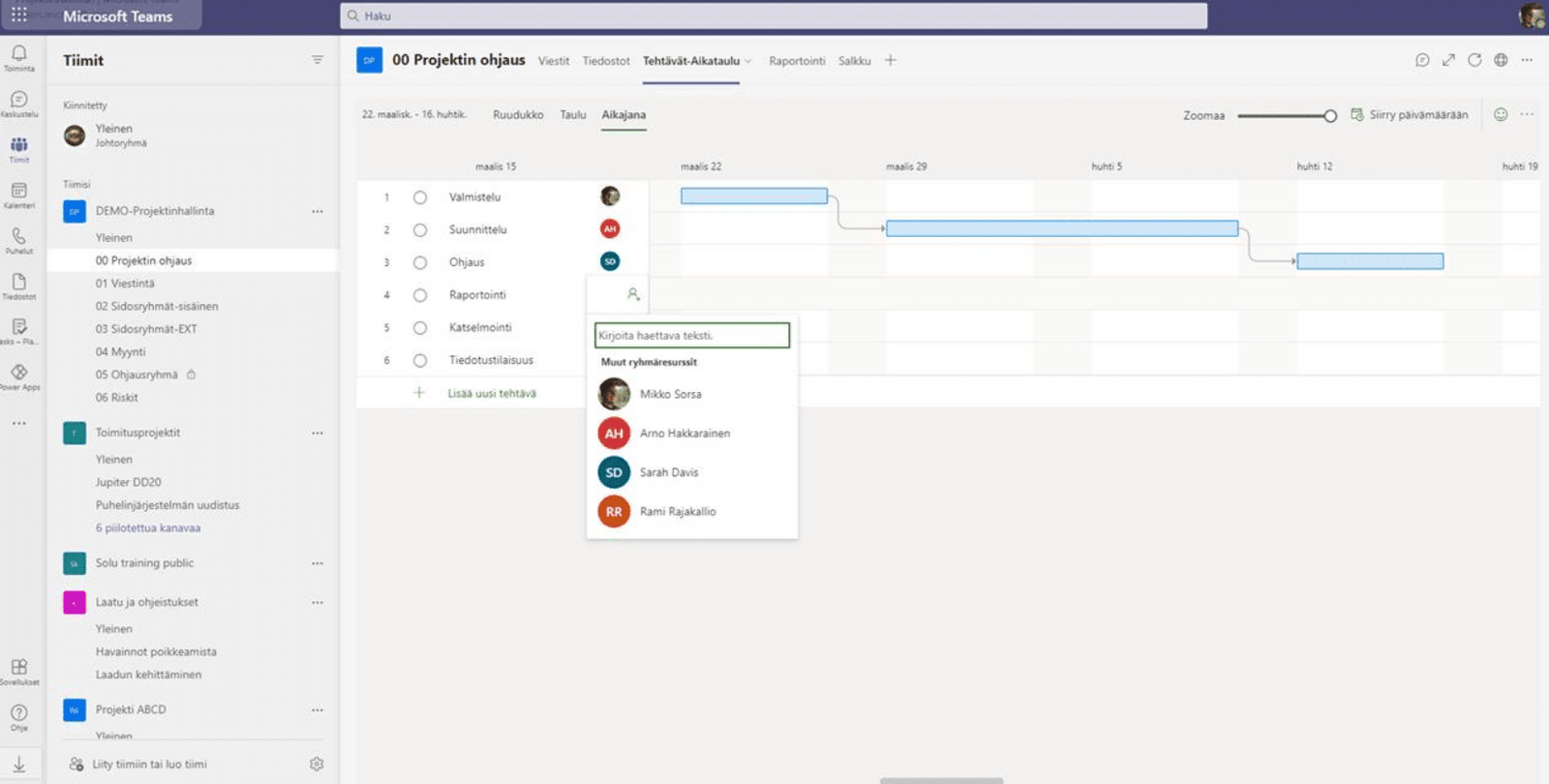
“When everything works through Teams, at least for me as a project manager, it’s enough that when you open Teams, you can do everything through it, such as report situations and record hourly work and also then see from the reports how things are going.”

”Project for the Web is the best way to illustrate how much time is spent on which task and which tasks are linked or dependent on each other.”

Project portfolio supports organization’s project culture

Project solutions can be customized according to the needs of the organization with the help of different types of tools:

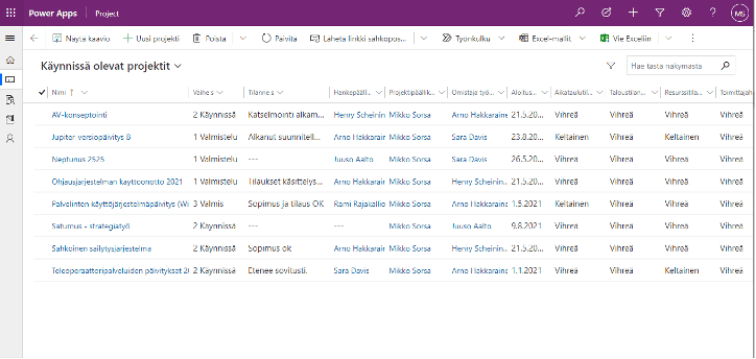
In the project portfolio, each project is displayed according to its stage. In our project portfolio implementations, the requirements for project-specific monitoring are adapted to the organization’s own project process.

We adapt the project portfolio to your needs and implement the project portfolio as a collaboration that supports and facilitates the daily life of your organization.

“This new tool is much more user-friendly from the point of view of both the project manager and the time recorder, so you don’t have to fight with it and spend a lot of time on it, you can just focus on recording hours and the actual work.”

Download the project management guide

Download our guide to smooth project management and make your organization's project work easier. Leave your contact information and we will send the guide to your email.
Download project management guide

”We know much better where our workload is distributed and where potential pain points are. We can also better predict resource usage in the longer term. However, in a small organization like ours, we need to be well aware if we encounter insufficient resources.”

“The files and information were in a separate environment, which was a bit more difficult to access since you always had to go there with a browser and log in, so we wanted an easier solution for that. It has been this Teams solution which we use to manage all our data and files.”

Deployment of a project portfolio solution for effortless project management

Solu Digital’s top experts have the best experience and expertise in processes and project activities.

Deploying the use of the project portfolio for all users is easy with Solu Digital, as our experts support you at every stage of the process:

Automate project management with the Solu 365® tool

With Solu 365® automation tool, the information, tools and colleagues needed for project work can be found in a few clicks in Microsoft Teams project teams. The tool can significantly simplify, speed up and streamline the project creation process.

Solu 365 provides a creation form view for projects and related workgroups and portfolio for all Teams groups in the organization.

With project and workgroup automation and a group portfolio view:

  • Project work becomes easier and faster when project communication, reporting, and information and document management are focused on one application
  • A clear and simple process for creating projects makes it easier to find information and documents, and increases their manageability and transparency
  • Project management is aligned with the organization’s consistent practices
  • Security is enhanced when access to external users is restricted to certain Teams groups.

Solu 365 automation tool creates workgroups suitable for different use cases (such as internal projects and projects with external partners) and defines, for example:

  • Planner’s project resources with premium features
  • the structure of the Teams channels, for example a private channel for the steering group
  • document folder structure
  • document templates, such as reports for consistent work
  • tools such as OneNote notepads
  • an optional deadline for archiving the group, for example when the project ends

The automated project and workgroup management process ensures that the organization’s project activities and naming and recording policies are followed in accordance with consistent practices.
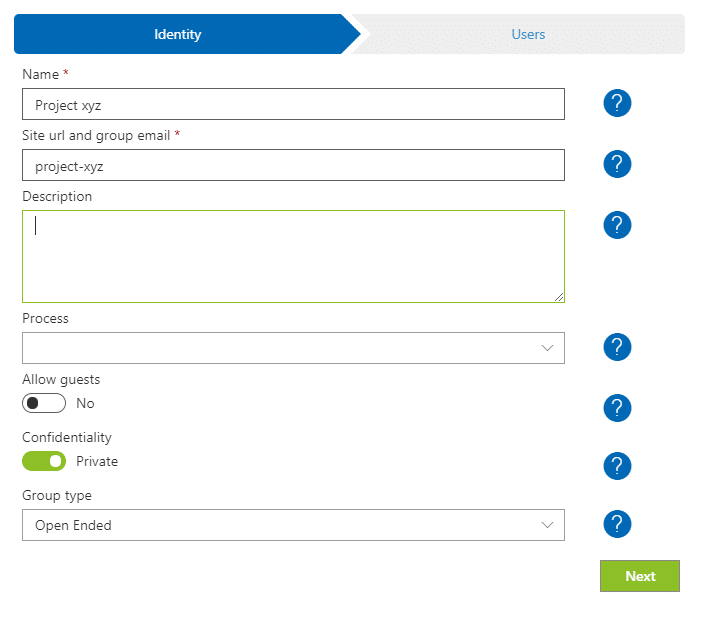
Solu 365® -automaatiotyökalu projektien ja Microsoft Teams ryhmätilojen automaattisen luontiprosessiin

Easy navigation to Teams and Microsoft 365 teams helps you manage the project groups you own in the real-time portfolio view of Solu 365.

Solu 365 reaaliaikainen portfolionäkymä Microsoft Teams ryhmien sujuvaan hallintaan

With Solu 365 solution, you ensure consistent project management across your organization in a transparent and secure manner.

Read more: Automate project management with the Solu 365® tool


Our customers' experiences

Check out our customer stories

Read more articles by our experts

Agile software development

Software requirements specification is often a long and costly process, when in fact there are only a handful of key features in a successful application.

Manage your SharePoint-environment like a pro

SharePoint environment should be grown with caution. Proactive behaviour, good dialog with partners, transparency and clear division of responsibilities ensure the quality of the end result.

Office 365 Groups Revisited

Microsoft will re-invent productivity and business process to help businesses coping with explosion of digital systems and data.

Leading developer of digital teamwork